Here’s how most businesses find out what malware actually means. Files won’t open. Systems are down. Someone walks in on Monday morning and nothing works.
By that point, the question isn’t what malware is. It’s how bad things really are.
Redkite Network is one of the top cyber security companies in India that works through exactly these situations. We put this guide together so business owners understand malware before it becomes their problem, not after.
What Does Malware Mean?
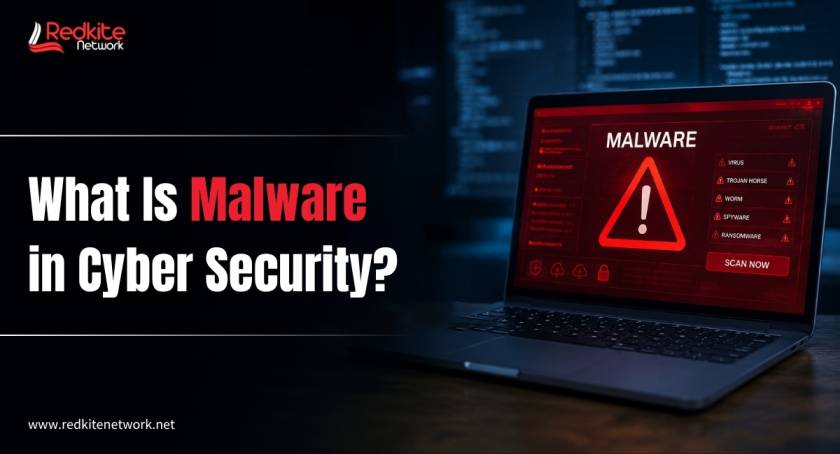
Short answer: malicious software. Code written specifically to get into a system it doesn’t belong in, then do something harmful once it’s there.
What counts as harmful depends on who built it and why. Some malware steals data. Some lock files and demand money. Some just watch everything without making a sound.
The common thread is intent. None of it is accidental.
It gets in through emails, bad downloads, compromised websites, weak passwords, and software nobody got around to patching.
Common Types of Malware
Ransomware
Files encrypted. Access gone. A note on the screen asking for payment in cryptocurrency.
That’s it. That’s the whole script. What makes ransomware so damaging isn’t the concept, it’s the speed. One laptop can become ten machines, then your entire network, in hours.
And paying doesn’t actually fix it. Plenty of businesses have paid the full amount and received nothing usable in return.
Spyware
This one doesn’t make noise. It sits in the background recording keystrokes, login credentials, browsing activity, financial information. Then sends all of it back to whoever put it there.
Weeks can pass before anyone notices. By then the data has been gone for a while.
Trojans
Something looks like a software update. Or a useful attachment. Or a tool a colleague sent over.
It isn’t. Opening it hands attackers access through a back door. Named after the wooden horse story for a reason.
Worms
Most malware needs a person to click or download something. Worms skip that step entirely. They move through networks automatically, jumping device to device without any assistance.
One infected machine on a shared network is genuinely all it takes.
Adware
The least severe type, usually. Pop-ups, browser redirects, performance getting slower. Annoying rather than catastrophic on its own.
But adware often comes with other things bundled inside it. Worth taking seriously even when it seems minor.
How Malware Gets In?
Not through the kind of hacking you see in films. Usually through something far less dramatic.
Phishing emails are still responsible for the majority of infections. A convincing message, a sender that looks right, one click on a link or attachment. It catches careful employees too, not just careless ones.
Unofficial downloads carry the same risk. Cracked software, tools from sketchy sites, apps from outside proper stores. Malware is bundled inside these regularly.
Compromised websites don’t always need a download. In some cases, visiting the page is enough.
Weak or reused passwords can give attackers direct access without needing malware at all. They just log in.
Unpatched software might be the most avoidable one on this list. Security holes in outdated software are publicly documented. Attackers look for businesses still running them. They find plenty.
Signs Something May Already Be Wrong
Not every infection announces itself. Some sit quietly for weeks.
But these are worth paying attention to:
- Systems running slowly in a way that can’t be explained
- Pop-ups appearing where they have no business being
- Files missing or behaving unexpectedly
- Login attempts from devices or locations nobody on your team recognises
- Applications crashing without a clear reason
- Network activity spiking outside of business hours
- Staff getting locked out of accounts they use every day
One item on that list might be nothing. Several at the same time isn’t something to wait out. Get someone to look at it properly.
Why Do Businesses Take the Hardest Hit?
For an individual, malware is a frustrating problem. For a business, it’s often a genuine crisis.
Downtime costs money fast. Work stops. Staff sit idle. Clients aren’t getting what they need. A few hours of this is expensive. Days of it can be serious.
Legal exposure is growing. India’s Digital Personal Data Protection Act gives businesses real obligations around customer data. A breach isn’t just an IT headache anymore. It creates compliance and legal risk on top of everything else.
Recovery takes longer than most businesses expect. Systems can be restored. Winning back client trust after a breach is a completely separate challenge. Some companies get there. Some don’t.
The financial hit compounds. Ransom payments, recovery work, lost business, regulatory fines. The total from a single incident adds up to amounts most organisations weren’t prepared for.
India had over 29.44 lakh cyber incidents handled by CERT-In in 2025. That’s not a figure limited to large corporations. It covers businesses of every size, across every sector.
How Businesses Can Actually Prevent Malware?
There’s no single tool or product that handles everything. Any honest cyber security service will tell you that upfront. Protection is built in layers.
Employee Awareness
Most attacks start with a person doing something, clicking something, opening something. That makes people both the biggest risk and one of the most fixable ones.
Regular practical training on phishing attacks and handling suspicious messages changes how staff respond. It doesn’t have to be complicated to make a genuine difference.
Regular Software Updates
Keeping systems patched is unglamorous work. But outdated software with known vulnerabilities is exactly what attackers look for. Staying current takes away a significant part of the risk.
Strong Password Policies
Unique passwords on every system. Multi-factor authentication wherever it’s supported. No sharing credentials between platforms.
Simple stuff. But most of the incidents Redkite Network investigates trace back to at least one of these not being followed.
Endpoint Protection
Every laptop, phone, and tablet connected to your network is a potential way in. Endpoint security tools monitor all of them continuously and act before a problem has time to travel.
Network Monitoring
Threats caught early do less damage. Active monitoring picks up unusual traffic patterns, unexpected connections, and suspicious movement before a contained issue becomes a company-wide one.
Penetration Testing
Penetration testing involves ethical hackers testing your systems using the same methods real attackers use, then reporting exactly what they found and how they got there.
For any business serious about cyber security in India, this needs to happen on a regular basis. Not once as a box-ticking exercise. Regularly.
How Does the Redkite Network Help Businesses Stay Secure?
We’re among the best cyber security companies in India with clients across healthcare, finance, retail, and e-commerce. Sectors where a security failure doesn’t just cause an IT problem. It causes a business problem.
Our work focuses on finding vulnerabilities before attackers do.
- Network Security: Continuous monitoring, threat detection, firewall management, and intrusion prevention built around your specific environment
- Penetration Testing: Certified ethical hackers go after your systems properly, then give you a clear and actionable report on what needs fixing
- Vulnerability Assessment: A thorough scan of your environment to surface weaknesses before someone else finds them
- Incident Response: When something goes wrong, we step in fast to contain it, investigate what happened, and guide recovery from start to finish
- Risk Assessment and GRC: ISO 27001, DPDP Act, SOC 2. We carry the compliance complexity so your team isn’t left trying to navigate it alone
Something we’ve found working with businesses across India: a generic checklist doesn’t reflect anyone’s actual situation. Every client has a different setup, different gaps, different risks. We start from understanding yours.
Don’t Let an Incident Be What Forces the Conversation
Security decisions made after something has already gone wrong are the most expensive ones. Always.
Most successful malware attacks get in through gaps that were fixable. Software nobody updated. Staff who hadn’t been trained. Systems with nobody actually watching them.
Redkite Network is a trusted cyber security service provider that works with businesses to close those gaps before they get exploited. If you want an honest look at where your business actually stands, that’s exactly what we offer.
No sales pitch. Just a clear picture of your risks and what to do about them.
Frequently Asked Questions
Q1. What is the difference between malware and a virus?
A virus is one specific type of malware. Malware is the wider category covering ransomware, spyware, trojans, worms, adware, and more. All viruses are malware. Not all malware is a virus.
Q2. Can malware steal banking information?
Yes. Spyware and keyloggers are specifically built to capture banking credentials, card details, and passwords without the user knowing. Financial services businesses are targeted heavily for exactly this reason.
Q3. How do businesses detect malware?
Endpoint protection tools and continuous network monitoring catch most threats. Regular vulnerability assessments find weaknesses before they get exploited. Unusual logins, slow systems, and strange network behaviour are often the first visible signs. The earlier it gets caught, the less damage it does.
Q4. Can antivirus software stop malware on its own?
Not reliably. Antivirus is a useful tool but modern malware is specifically built to avoid standard detection methods. Real protection combines endpoint security, network monitoring, access controls, and regular testing. No single product handles everything.
Q5. What’s the first thing to do after a malware attack?
Isolate the affected systems straight away. Cutting them off from the network stops the spread. Then bring in a cyber security service provider for proper investigation. In India, certain incidents carry a mandatory CERT-In reporting requirement within six hours. Once things are stable, the focus shifts to finding out how it happened and making sure it can’t happen the same way again.
Q6. How do you choose the right cyber security service for your business?
Automated scanning tools are widely available and most providers offer them. What separates good ones from average ones is whether they do proper hands-on testing and stay involved beyond just handing over a report. Among cyber security companies in India, look for real experience with ISO 27001 and the DPDP Act alongside genuine technical capability.
Q7. How often should security testing happen?
Vulnerability assessments at least annually. Penetration testing every six to twelve months, or after any significant changes to your systems. Monitoring is not something you schedule periodically. It runs continuously or it isn’t really doing its job.